The PHP Security Crisis for Dummies - what's the fuss about?
The 30 second version - Here's the gist:
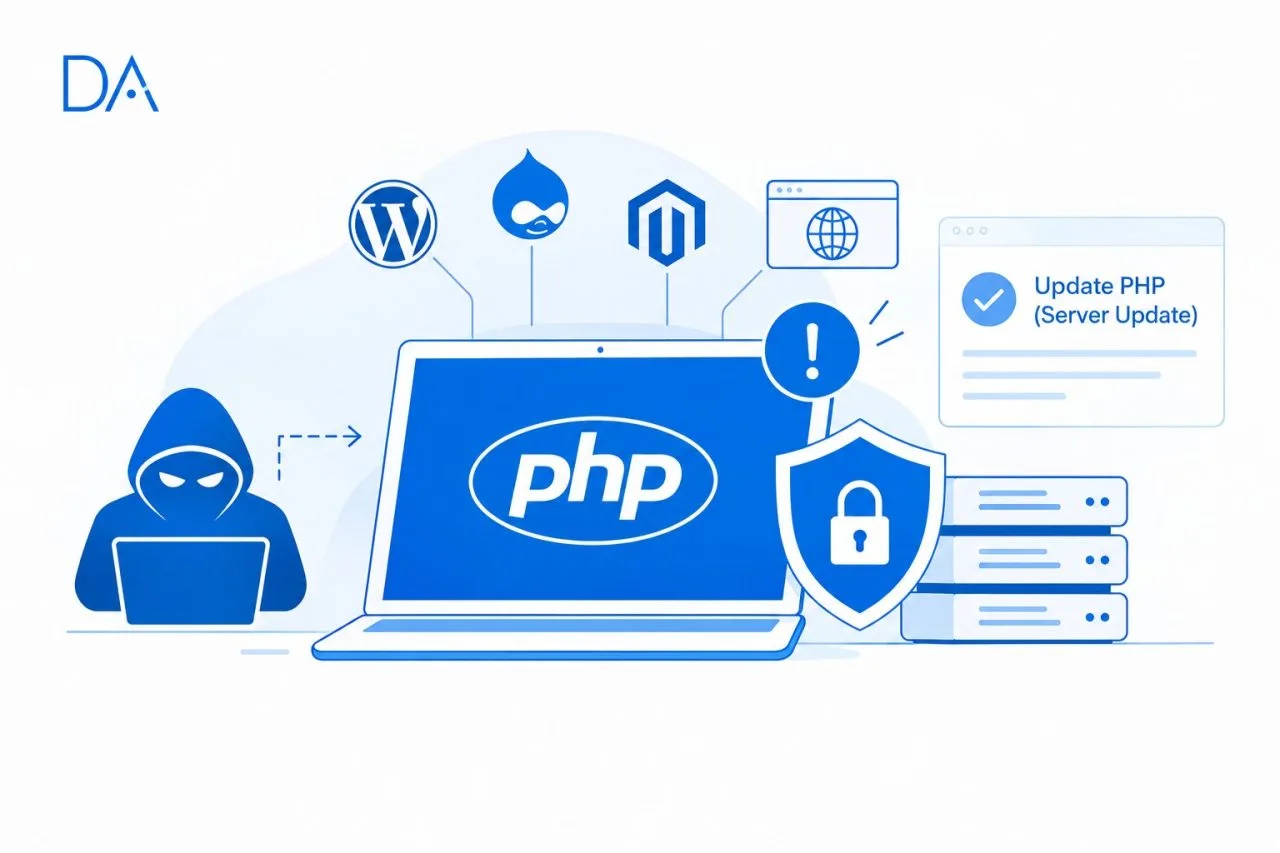
- Two nasty security holes were found inside PHP, the tech that runs about 70% of websites whose tech is known.
- WordPress, Drupal, Magento and a bunch of hosting control panels all run on it.
- Hackers could take over a website's server from anywhere, no password needed.
- Fixes dropped on 21 October 2026. And it's a server update, not a website update.
- If your site runs on PHP and nobody has confirmed the update yet, treat it as urgent.
Wait, what even is PHP?
- PHP is the engine behind a lot of websites. When someone opens a page, PHP builds it on the spot.
- Think of it as a restaurant kitchen. Visitors place orders (open a page), PHP cooks and serves.
- If a stranger gets into the kitchen, they control everything that comes out of it.
So what actually happened?
- Two flaws were found: CVE-2026-109618 and CVE-2026-109619. Together they're nicknamed "PHP2Shell".
- Both score 9.2 out of 10 on severity. That's "critical" territory.
- Both are memory mix-ups deep inside PHP. Basically, PHP loses track of what it's holding in its short-term memory.
- A hacker can send a cleverly crafted request to a website and trick PHP into running the hacker's commands on the server.
- The techy name for this is "remote code execution". Plain English: a stranger on the internet gets to boss your server around.
- No login needed. Nobody has to click anything either.
Okay, why is everyone freaking out?
- The bug is in PHP itself, not in one plugin or one website. Updating WordPress or your plugins won't fix it. The server's PHP has to be updated.
- It's pretty much everywhere. Every common way of running PHP on a server is affected.
- It's easy to reach. The flaw kicks in while PHP is reading an incoming request, before your website's own code even gets a say.
- Details leaked early. The info got out before the fix was ready, and attackers wasted no time poking around.
- Governments took it seriously. Some UK councils and even the Met Police took sites offline as a precaution. The Dutch cyber agency did the same, and the UK's NCSC said: patch now, or switch off whatever you can't patch.
- AI had a hand in it. These flaws are old, but exploiting them took an insanely complicated chain of steps. Researchers say advanced AI tools made it doable. Expect more old bugs to get dug up this way, so how fast you patch matters more than ever.
What could a hacker do with this?
- Take over the whole server.
- Steal customer data, enquiries and logins.
- Deface your site or redirect visitors somewhere shady.
- Plant sneaky software so they can come back later.
- Use your server to attack other people or blast out spam.
- Wreck your Google rankings and your brand's reputation.
Is my website affected?
- Probably yes, if it's WordPress, Drupal, Magento, Joomla, Laravel or custom PHP, or if your hosting panel is built on PHP.
- Definitely worry, if you've got an old website that nobody looks after. Old PHP versions are in the worst spot.
- Probably fine, if you're on Shopify, Wix, Squarespace or Webflow. They run on their own infrastructure, but it's worth a quick confirmation.
- No idea? Just ask your developer or host: "Which PHP version are we on, and is it patched for PHP2Shell?"
The fix: which versions are safe?
| If you're on | Update to at least |
|---|---|
| PHP 8.5 | 8.5.12 |
| PHP 8.4 | 8.4.27 |
| PHP 8.3 | 8.3.36 |
| PHP 8.2 | 8.2.35 |
| PHP 8.1 or older | Move to a supported version, or get a patched one from your host or Linux vendor |
- PHP 8.1 and older don't get official updates anymore. The PHP team did make emergency fixes for 7.4, 8.0 and 8.1 as a rare exception, but those come through vendors, so ask yours.
- After updating, restart PHP. Otherwise the old, vulnerable version keeps running.
Your to-do list for today
If you've got a developer or hosting provider:
- Send them one message today: "Hey, can you confirm we're on PHP 8.2.35 / 8.3.36 / 8.4.27 / 8.5.12 or higher, and that PHP has been restarted?"
- Ask for the answer in writing.
- On shared hosting, ask if the provider has patched your server. Plenty of big platforms did it automatically, but not all.
- Ask about anything built from a "container" or custom server image. Those have to be rebuilt, not just updated.
If you run your own server:
- List every PHP install you've got, including the old, forgotten and test sites.
- Update PHP to the fixed version through your package manager, then restart PHP and the web server.
- Rebuild and redeploy any container images on a patched base.
- Check software with PHP baked in, like hosting panels and appliances. They may need an update from the vendor.
If you can't patch today:
- Put a firewall (WAF) in front of your site. Cloudflare, for example, switched on protection rules for known attack methods before the fix went public.
- But remember, that only lowers the risk. PHP's own team says patching is the only real fix.
- If you can't patch, isolate or shield it, think about taking the site offline until you can. A short outage beats a hacked server.
Patching is step one. Step two: check if you were already hit
- Updating locks the door, but it doesn't kick out someone who already walked in.
- Ask your developer to look for unfamiliar files, new admin users, odd server activity and unexpected outgoing traffic.
- If there's any doubt, change passwords and keys, especially for hosting, database and admin accounts.
- Red flags: a suddenly slow site, strange pop-ups, pages you never created, spam going out from your domain, or Google flagging your site as unsafe.
Habits that make the next scare less scary
- Give someone ownership. One person should be on the hook for server and software updates.
- Switch on automatic updates wherever it's safe to.
- Shut down old sites you're not using anymore.
- Keep backups somewhere off the server, and actually test that you can restore them.
- Put a firewall/CDN in front of your site as a safety net.
- Keep access tight. Strong passwords, two-step login, and only give people the access they really need.
- Don't run unsupported software. Old PHP versions are the biggest long-term risk.
- Have a game plan: who gets called, who can pull the site down, who talks to customers.
The bigger picture for business owners
- Your website isn't "set it and forget it". It's more like a building or a car. It needs regular maintenance.
- Security isn't just an IT thing. It's a leadership question: "Who owns this, and how fast can we react?"
- AI is making it quicker to find and exploit hidden weak spots, so the gap between "bug found" and "attack in the wild" keeps shrinking. The businesses that can patch in hours, not months, will be the safest.
Quick FAQ
- Should I panic? Nope, but do act today. Ping your developer or host for confirmation.
- Is my WordPress site hacked? Not necessarily. It's just exposed until PHP is updated.
- Will updating break my site? It can on very old sites, so get a developer to test. But leaving it unpatched is the bigger risk.
- Is a firewall enough? No. It helps, but the update is the real fix.
Want a hand?
Not sure if your websites and servers are exposed? Reach out and we'll do a quick review of where you stand and put together a clear action plan.
Sources
Next Step